
· Andrei M. · ERP Integration · 9 min read
WooCommerce ERP Integration: Centralize Products with MicroPIM
Centralize your WooCommerce product management with MicroPIM — connect your ERP, manage variants and inventory across warehouses, and enrich listings with AI-generated content.
WooCommerce powers millions of online stores worldwide, and for good reason. It is flexible, affordable, and has a plugin ecosystem that covers almost every selling scenario. But when your business grows to the point where you need proper ERP integration — tracking cost prices, managing inventory across multiple warehouses, or connecting to accounting systems — WooCommerce starts to show its limits.
The problem is not that WooCommerce is a bad platform. The problem is that it was designed as a selling tool, not a product information hub. If you need WooCommerce ERP integration that actually works at a business level, you need a layer that sits between your ERP and your store. That layer is MicroPIM.
WooCommerce’s Product Management Limitations
Out of the box, WooCommerce gives you product names, descriptions, prices, stock quantities, and images. That covers the basics of selling. It does not cover the basics of running a product-driven business.
Here is what is missing when you try to connect WooCommerce to a real ERP system:
No cost price field. WooCommerce tracks what you sell a product for, not what you paid for it. Without a dedicated cost price field, calculating margins in your ERP becomes a manual exercise that falls apart the moment your supplier changes their prices.
No cost valuation method. Whether your accounting uses FIFO, LIFO, weighted average, or standard costing, WooCommerce has no concept of any of it. Your ERP cares deeply about this. WooCommerce does not.
No purchase unit of measure. You might sell a product individually but purchase it by the pallet. WooCommerce has one unit — the one you sell in. ERPs manage the translation between purchase UoM and sale UoM. WooCommerce leaves you to figure this out yourself.
No supplier-facing descriptions. The description in WooCommerce is written for customers. Your purchasing team and your vendors need different information — lead times, technical specs, vendor part numbers. There is no place to store this in native WooCommerce.
No country of origin or intrastat codes. If you ship internationally or need to comply with EU trade reporting requirements, you need these fields on every product. WooCommerce does not include them.
No multi-warehouse inventory. WooCommerce tracks a single stock quantity. If you have products in more than one warehouse — or want to show real-time availability per location — you are outside WooCommerce’s native capabilities.
No structured supplier management. Lead times, minimum order quantities, payment terms per vendor — these belong to your product management layer, not scattered across spreadsheets and emails.
Plugins can paper over some of these gaps. But every plugin adds complexity, creates potential conflicts, and still leaves you with data scattered across multiple systems without a coherent hub.
MicroPIM as the Central Hub
MicroPIM was built specifically to fill the space between e-commerce platforms like WooCommerce and the operational systems — ERPs, accounting software, warehouse management systems — that run the business behind the store.
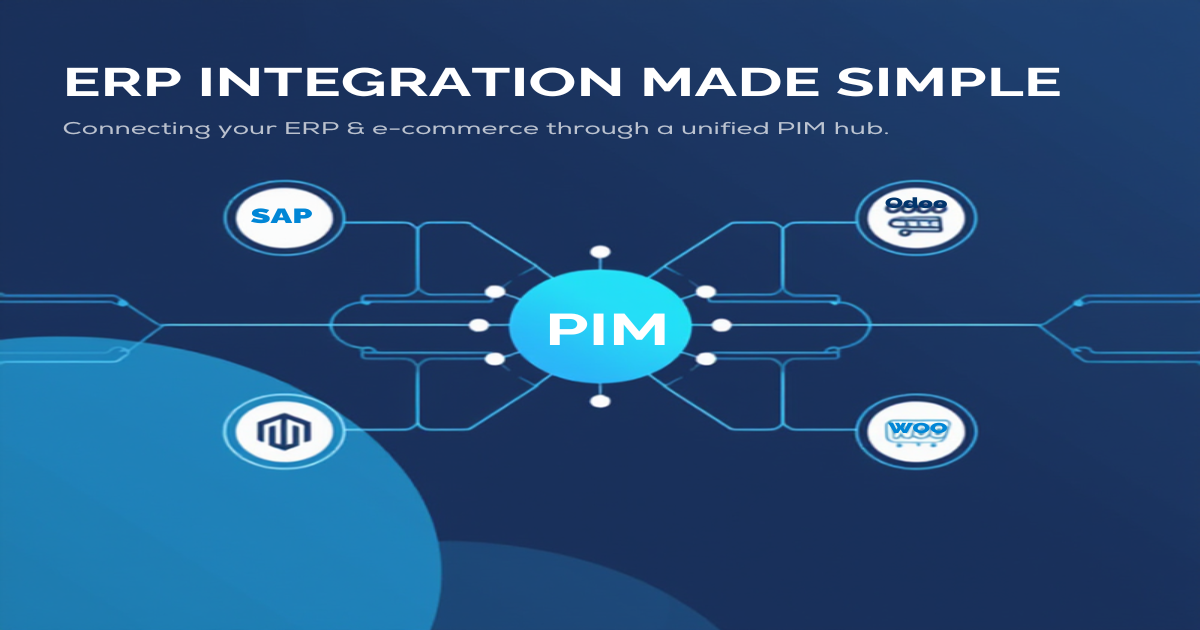
Think of MicroPIM as the single source of truth for product data. Your ERP pushes cost prices, valuation methods, and supplier information into MicroPIM. MicroPIM enriches those products with sales copy, images, and SEO content. Then MicroPIM pushes clean, complete product data out to WooCommerce (and any other channel you sell on). See how it works and explore the full list of supported integrations.
The fields that WooCommerce does not natively support are first-class citizens in MicroPIM. Here is a direct comparison of what WooCommerce stores leave on the table versus what MicroPIM adds:
| Business Need | WooCommerce Native | MicroPIM Field | Description |
|---|---|---|---|
| Cost tracking | Not built-in | costPrice | Purchase / cost price per unit |
| Cost valuation | Not available | costValuationMethod | FIFO, LIFO, Average, Standard |
| Purchase UoM | Not available | purchaseUom | Purchase unit of measure |
| Purchase description | Not available | purchaseDescription | Vendor-facing description |
| Country of origin | Not built-in | countryOfOrigin | ISO 3166-1 alpha-2 country code |
| Tax classification | Basic tax classes | taxClassificationCode | ERP tax group mapping |
| Intrastat codes | Not available | intrastatCode | EU trade reporting codes |
| Risk categories | Not available | riskCategory | ANAF and customs compliance |
| Multi-warehouse | Not native | Warehouse entities | Full multi-location inventory |
| Supplier management | Not native | Supplier entity | Lead time, MOQ, payment terms |
| ERP custom fields | Not available | integrationData (JSON) | Any ERP-specific data |
The integrationData field deserves special mention. Every ERP system has fields that are specific to its data model — internal product codes, approval statuses, custom classification hierarchies. MicroPIM stores all of this in a flexible JSON structure so that any ERP can map its proprietary fields without requiring schema changes.
Beyond individual fields, MicroPIM supports full product variants with their own SKUs, pricing, and inventory levels per variant. It manages a Supplier entity with lead times, minimum order quantities, and payment terms. Warehouse inventory is tracked per location, giving purchasing and operations teams the view they need while WooCommerce simply receives the aggregated or location-specific stock numbers it needs to sell.
Syncing WooCommerce Products with Your ERP
The MicroPIM integration model is built around a hub-and-spoke architecture. Your ERP is one spoke. WooCommerce is another. MicroPIM is the hub that keeps them in sync without either system needing to know about the other.
MicroPIM already has production integrations with Shopify, Magento, and Gomag. WooCommerce product data flows through the same proven pipeline. A product created or updated in your ERP arrives in MicroPIM, gets enriched with marketing content and media, and then gets pushed to WooCommerce with all the fields mapped correctly to the platform’s format.
The sync is asynchronous and queue-based, which means large catalog updates do not time out or create bottlenecks. MicroPIM processes product batches in the background and handles retries automatically if the WooCommerce API is temporarily unavailable.
For the reverse direction — pulling product data from WooCommerce back into MicroPIM — the same queue handles inbound updates. Stock changes in WooCommerce can update inventory levels in MicroPIM, which can then propagate to your ERP’s stock records. This bidirectional flow is what makes true WooCommerce ERP integration possible rather than just a one-way data dump.
Because MicroPIM is the hub, you can also connect multiple storefronts simultaneously. If you sell on WooCommerce and Shopify and through a B2B Magento store, all three receive the same enriched product data from MicroPIM. Your ERP integration is maintained in one place instead of three.
AI-Powered Content for WooCommerce Listings
Getting ERP data into WooCommerce is only half the job. ERP data is operational. WooCommerce listings need to be compelling. MicroPIM bridges that gap with a suite of AI-powered content tools that turn raw product specifications into content that actually converts.
AI image generation via Nano Banana Pro produces professional product visuals from your existing images or from scratch. Three providers are available — Google, fal.ai, and kie.ai — each offering different price points and visual styles. Scene types include white background studio shots, lifestyle contexts, kitchen counter placement, outdoor settings, and minimal editorial styles. This is especially useful for WooCommerce stores migrating product catalogs from ERP systems where images are often low-resolution or simply absent.
AI product descriptions powered by Claude AI generate SEO-optimized titles, meta descriptions, short descriptions, and long-form product copy using your ERP data as the source material. The AI understands your product catalog type — electronics, fashion, kitchen equipment, industrial components — and generates content that matches the expected language and detail level for that category.
AI translations support 21 languages, including English, German, French, Spanish, Italian, Portuguese, Dutch, Polish, Romanian, Hungarian, Czech, Slovak, Bulgarian, Greek, Turkish, Russian, Ukrainian, Japanese, Chinese, Korean, and Arabic. Each translation preserves HTML formatting, generates a localized URL slug, and creates language-specific SEO metadata. For WooCommerce stores expanding into new markets, this means you can translate a full product catalog through MicroPIM and push localized listings to your multilingual WooCommerce setup without any manual translation work.
All AI operations track token usage and costs at the organization level, so you always know what content generation is costing you. The image generation pricing is transparent: approximately $0.09 per image on kie.ai, $0.134 on Google, and $0.15 on fal.ai.
This combination of ERP-grade product data and AI-powered content enrichment is what separates MicroPIM from both simple product import plugins and traditional PIM systems that ignore the operational side of the business.
For more on how MicroPIM handles ERP field mapping, see our guides on SAP Business One integration, Dynamics 365 integration, and Odoo product sync.
Getting Started
The path from a WooCommerce store with basic product data to a fully integrated ERP-connected catalog is shorter than most store owners expect.
Step 1: Connect your product catalog. Import your existing WooCommerce product data into MicroPIM. You can upload a CSV export, connect via the WooCommerce REST API, or import from your ERP directly. MicroPIM’s AI-powered field mapper analyzes your source data and suggests how each field maps to the MicroPIM product model. For a walkthrough of file-based imports, see the feed product import guide. New to MicroPIM? Start with the getting started guide.
Step 2: Map your ERP fields. Use the integrationData JSON field to capture any ERP-specific data that does not have a direct MicroPIM equivalent. For standard fields like cost price, purchase UoM, supplier details, and warehouse inventory, MicroPIM’s built-in entities handle the mapping without custom development.
Step 3: Enrich your listings. With operational data in place, use MicroPIM’s AI tools to generate or improve product descriptions, create professional product images, and translate listings into target market languages. The enrichment layer runs independently of the sync layer, so you can improve content without disrupting the ERP data flow.
Step 4: Push to WooCommerce. Configure the WooCommerce integration with your store URL and API credentials. MicroPIM handles the field mapping to WooCommerce’s product schema, including variant structures, stock levels, and taxonomy assignments.
Step 5: Automate the ongoing sync. Set up recurring sync jobs so that price changes, stock updates, and new product additions from your ERP flow through MicroPIM to WooCommerce automatically. Your team manages products in the ERP and MicroPIM — WooCommerce stays in sync without manual intervention.
WooCommerce is an excellent sales channel. It was never designed to be an ERP. MicroPIM gives your WooCommerce store the product management foundation it needs to operate at a business level — proper cost tracking, structured supplier data, multi-warehouse inventory, and a content enrichment pipeline that keeps your listings competitive.
Ready to close the gap between your ERP and your WooCommerce store? Try MicroPIM free, check our pricing, or book a demo and connect your first product catalog today. Have questions? Contact our team.
Looking for ERP integration guidance for other platforms? Explore the full series: NetSuite integration, SAP Business One integration, Dynamics 365 integration, Odoo product sync, Pluriva integration, and Senior ERP integration.
