
· Andrei M. · ERP Integration · 9 min read
SAP Business One PIM Integration: Manage Products with MicroPIM
Integrate SAP Business One with your e-commerce channels using MicroPIM for seamless product data sync, multi-warehouse inventory management, and AI-powered content enrichment.
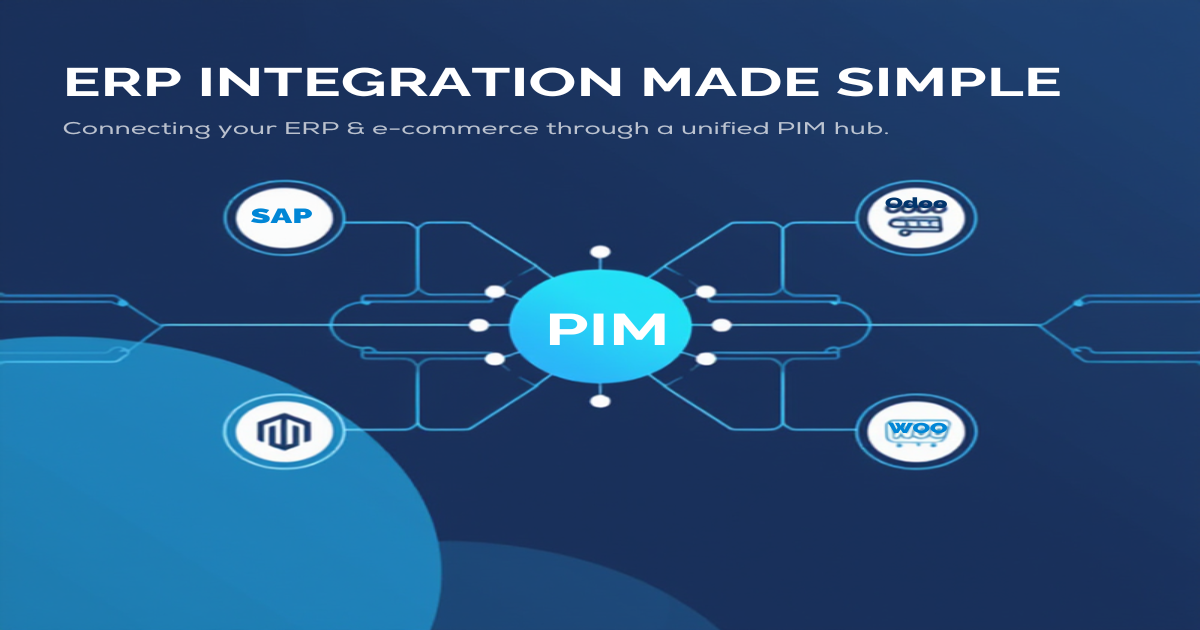
Running e-commerce on top of SAP Business One means your product master data already lives in a well-structured, authoritative source. The challenge is getting that data — pricing, inventory, costing method, supplier terms — out of SAP B1 and into your online channels without manual re-entry, field mismatches, or stale stock figures. A dedicated sap business one pim integration layer solves exactly that problem.
MicroPIM acts as the translation layer between SAP B1 and your sales channels. It maps SAP item fields to standardized PIM fields, synchronizes multi-warehouse inventory in real time, and layers AI-powered content enrichment on top of your ERP data so that what your customers see is accurate, complete, and optimized for conversion.
SAP Business One and Multi-Channel E-commerce
SAP Business One is built around operational accuracy. It knows your item codes, costing methods, lead times, and vendor payment terms. What it was never designed to do is publish a product catalog to Shopify, Magento, or Gomag with localized descriptions, translated content in 21 languages, and AI-enhanced lifestyle images.
That gap is where most SAP B1 e-commerce projects stall. Teams export item master data to spreadsheets, manually clean the output, reformat it for each channel, and repeat the process every time prices or stock levels change. The result is outdated product pages, margin errors from stale cost data, and overselling caused by inventory figures that are hours behind reality.
MicroPIM bridges this gap through a structured sap b1 pim workflow: SAP B1 remains the system of record for operational data, while MicroPIM becomes the system of record for presentation-layer data. Each field flows in one direction — SAP to MicroPIM — and enrichment happens inside MicroPIM before publishing outward to your channels.
This approach also keeps your ERP clean. You are not writing back AI-generated descriptions or resized images into SAP B1 item cards. The two systems do what each does best.
MicroPIM Field Mapping for SAP B1
Every SAP Business One item carries a set of standard fields that map cleanly to MicroPIM’s product model. The table below shows the default field mapping used during a SAP B1 import. Custom SAP User Defined Fields (UDFs) are captured in a flexible JSON column so nothing is lost.
| SAP B1 Field | MicroPIM Field | Description |
|---|---|---|
| ItemCode | sku | Item number |
| ItemName | name | Item description |
| ListPrice (PriceList) | price | Sales price |
| StandardPrice / AvgPrice | costPrice | Cost price |
| CostingMethod | costValuationMethod | Standard, Average, FIFO, LIFO |
| CountryOfOrigin | countryOfOrigin | Country of origin (ISO) |
| SalesWeight1 | weight | Item weight |
| PurchaseUoM | purchaseUom | Purchase unit of measure |
| PurchaseDescription | purchaseDescription | Purchase description |
| Gen.Prod.PostingGroup | taxClassificationCode | Tax classification code |
| IntrastatCode | intrastatCode | Intrastat CN8 code |
| ExciseTaxGroup | exciseCode | Excise tax group |
| LeadTime | supplier.leadTimeDays | Vendor lead time |
| MinimumOrderQty | supplier.minimumOrderQuantity | Min order quantity |
| PaymentTerms | supplier.paymentTerms | Payment terms |
| ReorderPoint | reorderPoint (warehouse) | Reorder threshold |
| WarehouseCode | warehouse (multi-warehouse) | Warehouse mapping |
| UserDefinedFields | integrationData (JSON) | SAP UDFs |
The costValuationMethod field deserves particular attention. SAP B1 supports Standard Cost, Moving Average, FIFO, and LIFO. MicroPIM preserves this distinction through its CostValuationMethod enum so that downstream reports and margin calculations remain consistent with how your finance team values inventory inside SAP.
Tax fields are equally important for EU merchants. MicroPIM’s VAT system supports all 27 EU country rates, and the taxClassificationCode imported from SAP B1’s General Product Posting Group feeds directly into that VAT assignment logic. If your SAP B1 instance carries Intrastat codes for cross-border trade compliance, those transfer across as well.
For sap business one product management at scale, MicroPIM also supports product variants. A configurable product in SAP B1 — distinguished by ItemCode suffixes or matrix items — maps to a parent product with variant rows in MicroPIM, preserving per-SKU pricing and stock without duplicating the base product data.
Multi-Warehouse Inventory Sync
One of the more complex aspects of sap b1 ecommerce sync is inventory. A single item in SAP B1 can carry stock across multiple warehouses, with each warehouse having its own reorder point, bin locations, and committed quantities. Collapsing that into a single “in stock / out of stock” flag on your storefront loses meaningful information.
MicroPIM handles this through a warehouse mapping model. Each SAP WarehouseCode maps to a named warehouse entity in MicroPIM. When inventory data is imported or updated, stock quantities are stored per warehouse rather than aggregated. This gives you the flexibility to:
- Publish available-to-promise stock from a specific fulfillment warehouse to Shopify, while keeping a separate warehouse reserved for retail.
- Show store-specific stock levels to customers if your Magento instance supports it.
- Trigger reorder alerts based on the warehouse-level
ReorderPointcarried over from SAP B1, not a single platform-wide threshold.
When stock changes in SAP B1 — a goods receipt posts, a sales order picks inventory, or a transfer order moves stock between warehouses — the updated quantities flow through to MicroPIM and are pushed to your connected channels through the appropriate message queue. Shopify, Magento, and Gomag each have dedicated sync queues in MicroPIM, which means a high-volume SAP update does not block your Shopify channel while the Magento sync is still processing.
This async-first architecture is especially important for businesses running daily or intraday SAP batch jobs. Rather than a synchronous API call that can time out under load, each warehouse inventory update is dispatched as a queued message and processed in order, with retry logic built in.
Automating Product Enrichment for SAP B1 Data
SAP B1 item masters are accurate but minimal. ItemName is typically a short technical description optimized for warehouse staff, not for a customer browsing a product page. PurchaseDescription covers supplier-facing language, not marketing copy. This is expected — ERP systems are not content management platforms.
MicroPIM fills this gap through a set of AI-powered enrichment tools that run after the SAP B1 data lands in your PIM.
AI-powered content generation. Once a product is in MicroPIM, you can generate SEO-optimized product names, short descriptions, long descriptions, and meta tags using Claude AI. The generation is template-driven, so your brand voice stays consistent across the catalog. Templates can be scoped to a specific website or channel, which is useful when you sell the same SAP B1 item on both a B2B Magento store and a B2C Shopify storefront with different tone requirements.
AI image enhancement. SAP B1 item masters rarely carry high-quality product images. MicroPIM integrates with Nano Banana Pro to generate enhanced product images from existing photos — placing items in lifestyle scenes, white-background studio shots, or contextual settings. The image generation queue runs separately from the data sync queue, so a large catalog import does not stall while images are being processed.
AI translations in 21 languages. For merchants selling across EU markets, MicroPIM’s translation feature uses Claude AI to produce localized versions of product names, descriptions, and SEO fields. Translations go through a review-and-approval workflow before publishing, so your team retains editorial control. This is particularly relevant for SAP B1 users in Romania, Germany, or other EU markets where Gomag, Magento, or local Shopify stores require native-language content. Supported languages include EN, DE, FR, IT, ES, RO, PL, NL, HU, and 12 more.
VAT and tax assignment. The taxClassificationCode imported from SAP B1 maps to MicroPIM’s EU VAT rate system. MicroPIM carries 2024-accurate standard, reduced, and zero rates for all 27 EU member states. When a product publishes to Shopify or Magento, the correct tax class travels with it, removing one more manual step from the go-live checklist.
Taken together, these enrichment steps mean that the journey from an SAP B1 item card to a fully published, localized, image-rich product page can be largely automated. Your team focuses on reviewing and approving content rather than writing it from scratch or reformatting ERP data by hand.
For teams already working with other ERP platforms, the same enrichment workflow applies. MicroPIM supports similar field mapping patterns for other ERP and e-commerce data sources — see our articles on importing products from supplier feeds and getting started with MicroPIM for related context. You can also explore the full list of supported platforms and integrations.
Getting Started
Connecting SAP Business One to MicroPIM follows a straightforward setup path:
Export your SAP B1 item master. Use SAP’s standard Data Transfer Workbench or a simple query export to produce a CSV or Excel file containing the fields from the mapping table above. MicroPIM’s import wizard accepts both formats and uses AI-assisted field mapping to suggest column assignments automatically.
Review the field mapping. The import mapping screen shows sample values from your file alongside the suggested MicroPIM target fields. Adjust any mismatches, set your conflict strategy (skip existing SKUs, update them, or create new records), and confirm.
Connect your sales channels. Shopify, Magento, and Gomag integrations are configured from the Integrations screen. Each channel gets its own credentials and sync settings. Once connected, MicroPIM begins pushing product and inventory data through the appropriate queue.
Set up warehouse mappings. Map each SAP
WarehouseCodeto a MicroPIM warehouse entity. Define which warehouse feeds stock to which channel, and confirm reorder points carried over from SAP B1.Run AI enrichment. With the catalog imported and channels connected, trigger content generation for your product descriptions, launch image enhancement for items with missing or low-quality photos, and queue translations for the markets you serve.
Monitor and maintain. Subsequent SAP B1 item master exports can be re-imported as incremental updates. MicroPIM’s conflict strategy settings ensure existing enriched content is preserved while operational fields like price, cost, and stock are refreshed from SAP.
The initial setup typically takes a few hours for a catalog of a few thousand items. Ongoing maintenance is largely automated through scheduled imports and queue-based sync.
A reliable sap business one pim integration removes the manual layer between your ERP and your storefronts. Product data stays accurate, inventory reflects warehouse reality, and your merchandising team can focus on content quality rather than data plumbing. MicroPIM is built to handle exactly this workflow, from the first import to daily incremental sync and AI-powered content refresh.
Ready to connect your SAP B1 catalog to your sales channels? Start your free trial, check our pricing, or book a demo to have your first products published within the day. Have questions? Contact our team.
Also in this series: NetSuite integration, Dynamics 365 integration, Odoo product sync, Pluriva integration, Senior ERP integration, and WooCommerce ERP integration.
