
· Andrei M. · ERP Integration · 9 min read
Odoo Product Sync to E-commerce Made Easy with MicroPIM
Streamline your Odoo product sync to Shopify, Magento, and Gomag using MicroPIM as your central product hub with AI-powered enrichment and multi-channel publishing.
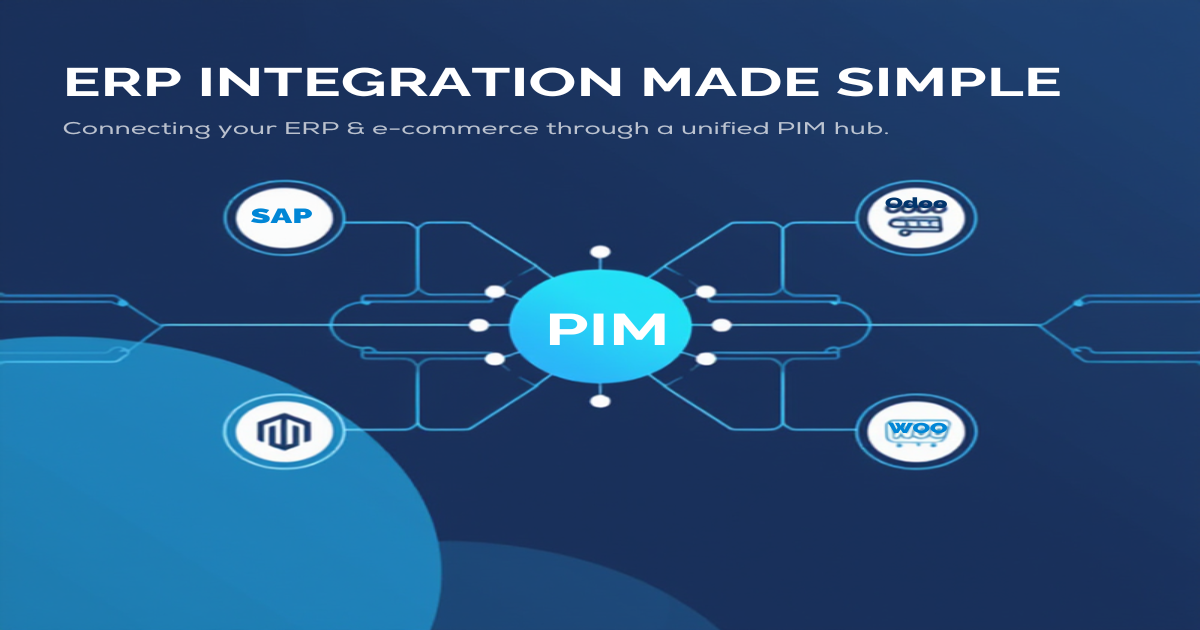
Odoo is a powerful ERP that handles everything from procurement and inventory to accounting and manufacturing. But when it comes to pushing product data to your online sales channels, things get complicated fast. Field mismatches, missing marketing copy, absent images, and platform-specific formatting requirements turn what should be a simple sync into a recurring operational headache.
This is where a dedicated PIM enters the picture. MicroPIM acts as the translation layer between your Odoo product database and every e-commerce platform you sell on, handling the data enrichment, field mapping, and multi-channel publishing that an ERP was never designed to do. If you are looking to get your Odoo-to-e-commerce product sync workflow under control, this guide walks you through exactly how it works.
Why Odoo Users Need a Dedicated PIM
Odoo’s product module is purpose-built for operational workflows: tracking stock movements, managing purchase orders, calculating landed costs, and feeding financial reports. Those tasks require a different kind of data than what an e-commerce storefront needs.
A Shopify listing needs a compelling product description, multiple high-resolution images, SEO-optimized titles, variant-level pricing, and structured attributes. Odoo stores a technical reference, a sales price, a cost, and maybe a short internal note. The gap between those two data profiles is exactly what causes friction when teams try to use Odoo as their single source of truth for e-commerce publishing.
The consequences are predictable: products go live with thin descriptions copied verbatim from purchase documents, images are missing or pulled from supplier sheets without any optimization, and SEO suffers because no one has time to manually enrich 500 product records before a launch date.
A PIM solves this by giving your marketing and product teams a dedicated workspace where Odoo’s operational data is the foundation, not the ceiling. You import the structured fields from Odoo, then layer in everything else: rich descriptions, translated content, AI-generated images, variant structures, and platform-specific attributes. When you are ready to publish, MicroPIM pushes the complete, enriched record to Shopify, Magento, or Gomag in the exact format each platform expects.
MicroPIM Field Coverage for Odoo
One of the most practical questions when setting up an odoo pim integration is which Odoo fields map to which PIM fields, and how specialized operational data like cost valuation methods and vendor terms gets handled.
MicroPIM covers the full range of Odoo product fields, including the procurement and supplier-specific fields that most middleware tools ignore:
| Odoo Field | MicroPIM Field | Description |
|---|---|---|
| default_code | sku | Internal reference / SKU |
| name | name | Product name |
| list_price | price | Sales price |
| standard_price | costPrice | Cost price |
| property_cost_method | costValuationMethod | Standard, average, FIFO, LIFO |
| uom_po_id | purchaseUom | Purchase unit of measure |
| description_purchase | purchaseDescription | Vendor-facing description |
| volume | volume (via integrationData) | Product volume |
| weight | weight | Product weight |
| country_of_origin | countryOfOrigin | Country of origin |
| seller_ids.delay | supplier.leadTimeDays | Vendor lead time in days |
| seller_ids.min_qty | supplier.minimumOrderQuantity | Minimum order quantity |
| taxes_id | taxClassificationCode | Tax classification |
| property_stock_location | warehouse | Stock location mapping |
| x_custom_fields | integrationData (JSON) | Custom Odoo fields |
The integrationData JSON field is particularly useful for odoo product management scenarios where your instance has custom modules or industry-specific extensions. Rather than requiring a schema change every time Odoo gains a new custom field, MicroPIM stores those values in a flexible JSON structure that travels with the product record and can be referenced in export templates.
The costValuationMethod field deserves a mention on its own. Odoo supports standard price, average cost, first-in-first-out, and last-in-first-out valuation methods. MicroPIM preserves this value so that any downstream financial or inventory system receiving the export understands how the cost figure was calculated — critical for ERP-to-ERP integrations and for businesses that need landed cost accuracy in their platform pricing rules.
Supplier lead times and minimum order quantities from seller_ids are mapped to the MicroPIM supplier model, which gives your purchasing team visibility into those constraints directly inside the PIM without needing to return to Odoo for every reorder decision.
Syncing Products Between Odoo and Shopify, Magento, and Gomag
Once your Odoo product data is inside MicroPIM, you have a clean, centralized record that can be pushed to multiple sales channels simultaneously. The sync architecture is built around an async-first queue system, which means platform API calls happen in the background without blocking your workflow.
Shopify integration covers full product and variant sync, inventory levels across multiple locations, and webhook-based updates so that stock changes in Odoo flow through MicroPIM and arrive at Shopify in near real time. Product variants in MicroPIM map directly to Shopify’s variant model, preserving SKU-level pricing, weight, and images per variant.
Magento integration uses a bulk sync approach suited to larger catalogs. MicroPIM’s Magento gateway handles attribute set mapping, configurable product structures, tier pricing, and inventory source assignment for Magento’s multi-source inventory system. If your Odoo instance manages multiple warehouses, those can be mapped to Magento inventory sources individually, keeping stock counts accurate per location.
Gomag, the Romanian e-commerce platform, is supported with bidirectional sync. Products, categories, brands, and attributes all flow in both directions, with checksum-based change detection to avoid unnecessary API calls. For teams managing Romanian retail operations inside Odoo, this integration closes the loop between ERP purchasing workflows and Gomag storefront availability without any manual intervention.
Multi-warehouse inventory is a first-class feature. Odoo’s property_stock_location maps to MicroPIM warehouses, and those warehouse-level quantities are preserved through the export layer so that each connected platform receives the right stock figure for the right location.
The VAT and tax system supports the full range of EU tax classifications that Odoo’s taxes_id field encodes, including country-specific rates, reduced rates, and zero-rated exports. This is important for merchants selling across multiple EU markets, where the correct tax code on a Shopify or Magento product listing directly affects checkout compliance.
AI-Powered Enrichment for Odoo Product Data
Getting structured data out of Odoo is the straightforward part. The hard part is the gap between an operational product record and a commercially effective storefront listing. MicroPIM closes that gap with several AI-powered enrichment tools that work directly on your Odoo-sourced product catalog.
AI image generation via Nano Banana Pro lets you create professional product images without a photo studio. Once your Odoo products are in MicroPIM, you can select a scene type — white background, lifestyle, kitchen counter, studio, outdoor, or minimal — and generate images through Google’s image generation pipeline, fal.ai, or kie.ai depending on your quality and cost requirements. Images are stored and served from Cloudflare R2, so they are production-ready the moment generation completes.
This matters most for products imported from Odoo that have no marketing images at all, only supplier thumbnails or technical diagrams from purchase documents. Rather than waiting for a photography session, you can generate clean, on-brand images the same day the products enter MicroPIM.
AI translations support 21 languages including English, German, French, Spanish, Italian, Romanian, Polish, and more. For Odoo users selling across multiple European markets, this means a single enrichment pass in your primary language produces localized versions for every other market automatically. Each translation goes through an approval workflow before it reaches the connected platform, so your team retains editorial control without translating a word manually.
AI-powered SEO copy generates product titles, meta descriptions, and long-form descriptions tailored to your catalog type. The system samples your existing product data, detects the category context — electronics, fashion, industrial, beauty, and so on — and produces copy that fits both your brand voice and search intent patterns for each product category.
AI field mapping helps during the initial Odoo integration setup. When your Odoo export contains field names that do not match MicroPIM’s standard schema exactly, the AI field mapper analyzes sample values and suggests mappings automatically. This reduces the manual configuration effort from hours to minutes, especially for Odoo instances with custom modules that use non-standard field naming.
Getting Started
Connecting Odoo to MicroPIM does not require a developer engagement or a lengthy implementation project. The standard path takes most teams less than a day.
Start by exporting your Odoo product catalog in CSV, JSON, or XML format, or set up a recurring automated export from Odoo’s reporting module to a URL MicroPIM can poll. Upload the file or paste the feed URL into MicroPIM’s import interface. The AI field mapper will analyze the first batch of records and suggest a field mapping configuration — review it, adjust any edge cases, and save the profile for future imports.
From there, connect your sales channels. Each platform integration requires API credentials and a brief configuration step to map your product categories and attributes to the platform’s taxonomy. Once connected, you can trigger a full catalog sync or set up automated publishing rules that push new and updated products to your channels on a schedule.
The enrichment layer runs in parallel: set up your AI image generation preferences, configure your translation languages, and build prompt templates for your copy generation workflows. MicroPIM’s template system lets you define the style and structure of generated content once, then apply it consistently across your entire Odoo product catalog.
If you are migrating from a direct Odoo-to-Shopify connector or a custom-built integration script, MicroPIM’s import history and job tracking give you full visibility into what was processed, what succeeded, and what needs attention — replacing the opacity of cron jobs and custom scripts with a monitored, auditable pipeline.
For teams earlier in their ERP integration journey, the feed product import guide covers the fundamentals of getting any structured product file into MicroPIM, and the getting started guide walks through the full platform setup from account creation to first export. For SAP and Microsoft Dynamics users, the same integration principles apply — MicroPIM’s import system is format-agnostic, and the field mapping layer handles the translation between any ERP’s export schema and the MicroPIM product model.
The result is a reliable Odoo e-commerce middleware that does not require ongoing maintenance every time Odoo or your connected platforms update their APIs. MicroPIM handles the platform integrations centrally, so your team works with product data, not plumbing.
Ready to see how it works with your own Odoo catalog? Start your free trial, check our pricing, or book a demo to sync your first products to Shopify, Magento, or Gomag in a single session. Have questions? Contact our team.
Also in this series: NetSuite integration, SAP Business One integration, Dynamics 365 integration, Pluriva integration, Senior ERP integration, and WooCommerce ERP integration.
