· Andrei M. · Integrations · 17 min read
Best ERP Systems for E-commerce: NetSuite vs SAP vs Dynamics 365 vs Odoo
Compare the top 4 ERP systems for e-commerce. See how NetSuite, SAP, Dynamics 365, and Odoo stack up and how MicroPIM bridges your ERP to any store.
Choosing the best ERP for e-commerce is one of the most consequential infrastructure decisions a growing online business will make. The right enterprise resource planning system connects purchasing, inventory, finance, and fulfillment into a single operational backbone. The wrong one creates data silos, manual workarounds, and a product catalog that is perpetually out of sync with what is actually in the warehouse.
This guide compares the four ERPs that come up most often in e-commerce evaluation projects: NetSuite, SAP Business One, Microsoft Dynamics 365, and Odoo. It covers where each excels, where each falls short, and — critically — how MicroPIM fills the gap between any of them and your Shopify, WooCommerce, or PrestaShop storefront.
Why ERPs Matter for E-commerce
Every e-commerce operation above a certain size eventually reaches the same breaking point. Spreadsheets that track purchase orders no longer reconcile with what the warehouse reports. Stock levels published on the storefront are hours or days behind physical inventory. Finance cannot close the month without manually correlating orders from the platform with records in the accounting system.
An ERP solves these problems by creating a shared data model across business functions. Purchasing, inventory, sales, and finance all write to and read from the same system. When a supplier ships an order, stock levels update automatically. When an invoice is raised, the revenue recognition entry is posted without manual intervention.
For e-commerce specifically, an ERP handles the operational layer: product costs, supplier lead times, warehouse locations, tax schedules, and purchase order management. It is the authoritative source for whether a product exists, what it costs, and how many units are available. That operational data needs to reach the storefront reliably and quickly — and that is where the architecture gets complex.
Most ERPs were not designed to publish channel-ready product content. They store an item code, a cost, a stock count, and a supplier reference. A Shopify product listing requires a search-optimized title, a long-form description, multiple images, variant attributes, category assignments, and SEO metadata. Bridging that gap is the role of a Product Information Management layer, which we will return to in detail later in this guide.
From a cost and complexity standpoint, ERP selection also determines your total investment for years. Implementation costs, licensing structures, customization overhead, and the availability of developers who know the platform all factor into the real cost of ownership. Startups need a different answer than mid-market companies, and mid-market companies need a different answer than enterprises managing multiple subsidiaries across several countries.
NetSuite: Cloud-Native and Built for Scale
Oracle NetSuite is the dominant cloud ERP for companies that have outgrown QuickBooks or Xero and need a system that can handle complexity without a full on-premise implementation. It runs entirely in the cloud, which means no server infrastructure to manage and no upgrade cycles to schedule. Updates are handled by Oracle and rolled out to all customers on a predictable schedule.
Strengths
NetSuite’s multi-subsidiary architecture is its most distinguishing feature for e-commerce businesses with international operations. A company running four regional entities under a parent holding company can consolidate financials across all of them in a single NetSuite instance without exporting data into spreadsheets for consolidation. Intercompany transactions, currency conversion, and local tax compliance are all handled natively.
The inventory management module is mature and configurable. NetSuite supports multiple costing methods — standard, average, FIFO, LIFO — and tracks inventory across multiple warehouse locations. For e-commerce businesses running their own fulfillment alongside third-party logistics providers, NetSuite’s warehouse management capabilities reduce the need for separate warehouse management software.
NetSuite also has a large ecosystem of certified solution providers and a well-documented SuiteScript API. Finding developers who can build or maintain a NetSuite integration is straightforward in most markets.
Limitations
NetSuite’s licensing model is expensive relative to the alternatives in this guide. Pricing is not publicly listed and is negotiated per customer, but mid-market implementations typically start at $30,000 to $50,000 per year for the base license before adding modules, users, or implementation services. Total first-year costs including implementation commonly reach $100,000 or more for companies moving from a simpler system.
The platform is also complex to configure. NetSuite’s flexibility is a strength, but it means that a poorly scoped implementation can produce a system that is harder to maintain than the spreadsheets it replaced. Choosing the right implementation partner matters significantly.
Best For
NetSuite is the strongest choice for mid-market to enterprise e-commerce companies with multi-entity structures, significant international operations, or plans to expand into new markets or sales channels. It is particularly well suited to companies where a single instance needs to serve finance, supply chain, and e-commerce operations simultaneously.
For teams connecting NetSuite to Shopify, Magento, or other storefronts, the NetSuite to e-commerce integration guide covers the field mapping and workflow in detail.
SAP Business One: Manufacturing Depth for Mid-Market
SAP Business One is SAP’s mid-market offering, positioned below the flagship SAP S/4HANA and targeted at companies with 10 to 250 employees. It has been in the market for over two decades and carries a strong reputation in manufacturing and distribution industries where bill-of-materials management, production orders, and quality control are as important as financial reporting.
Strengths
SAP Business One’s manufacturing capabilities go beyond what most e-commerce-focused ERPs offer. Bill of materials, production orders, routing, and work-in-progress tracking are built into the core product. For e-commerce businesses that manufacture or assemble their own products — custom furniture, branded apparel, specialty food, electronics — this depth is genuinely useful and reduces the need for a separate manufacturing execution system.
The supply chain module handles complex supplier relationships well. Multi-level BOM tracking means the cost of a finished good can be traced back through sub-assemblies to raw materials, giving finance accurate cost-of-goods figures for margin analysis at the product level. For businesses where product costing is closely tied to purchasing negotiations, this is a material advantage.
SAP Business One is also available in two deployment models: on-premise and cloud (SAP Business One Cloud, hosted by SAP or a partner). The on-premise option matters to businesses in regulated industries or geographies where data residency requirements prevent cloud deployment.
Limitations
SAP Business One’s user interface has improved steadily over recent releases but still reflects its Windows-application origins. Browser-based access is available through the Web Client, but power users typically still prefer the desktop client. This creates onboarding friction for companies accustomed to modern SaaS interfaces.
The SAP ecosystem carries a reputation — sometimes unfair, but grounded in experience — for expensive implementations and slow customization cycles. Business One is meaningfully simpler than S/4HANA, but it still requires careful scoping and a competent implementation partner to avoid cost overruns.
Integration capabilities outside the SAP ecosystem rely heavily on SAP Business One’s Service Layer API, which is comprehensive but requires developer investment to use effectively. Out-of-the-box connectors to e-commerce platforms are limited compared to NetSuite.
Best For
SAP Business One is the right choice for manufacturing businesses, companies with complex supply chains involving multi-level BOMs, and organizations that already have SAP expertise in-house. It is a strong fit for e-commerce companies that sell manufactured or assembled goods and need their ERP to manage both production and sales operations.
Teams integrating SAP Business One with their e-commerce stack can refer to the SAP Business One PIM integration guide for the MicroPIM-specific workflow.
Dynamics 365: The Microsoft Ecosystem Advantage
Microsoft Dynamics 365 Business Central is the mid-market ERP in the Dynamics 365 family. For companies already running Microsoft 365 (formerly Office 365), Azure, or Power Platform, it offers a degree of native integration that no other ERP in this comparison can match. Dynamics 365 connects directly to Excel, Teams, Outlook, Power BI, and Power Automate without custom development, which reduces the overhead of building the internal tooling that surrounds every ERP.
Strengths
The Microsoft integration story is the primary differentiator. Finance teams that live in Excel can connect directly to Dynamics 365 data through native Excel add-ins. Sales and support teams working in Outlook see order and account history in their inbox sidebar. Power BI reports pull live Dynamics 365 data without an export step. For organizations where Microsoft tools are the default operating environment, this is a significant productivity advantage and lowers the total cost of user training.
Business Central’s licensing model is straightforward by ERP standards. The Essential tier is priced at approximately $70 per user per month. The Premium tier, which adds manufacturing and service management, is approximately $100 per user per month. This per-user pricing model is predictable and scales linearly, which makes budgeting easier than the module-based licensing structures used by NetSuite and SAP.
Dynamics 365 Business Central also has strong support for e-commerce via the AppSource marketplace. There are a number of certified connectors for Shopify, Magento, and WooCommerce available from third-party vendors, which shortens the integration timeline compared to building a custom API connection.
Limitations
Dynamics 365’s depth in manufacturing and complex supply chain scenarios does not match SAP Business One. Companies with multi-level production BOMs or advanced quality management requirements may find Business Central’s native capabilities insufficient and need to extend it with ISV add-ons.
Multi-entity and multi-currency scenarios are supported but require more configuration effort than NetSuite’s native multi-subsidiary model. Companies managing several legal entities will find the setup more manual and the consolidation reporting less seamless.
The platform’s dependence on the Microsoft ecosystem is a double-edged advantage. For organizations not standardized on Microsoft tools, the integration benefits do not apply, and the system becomes a standard ERP competing against NetSuite and SAP on those same dimensions — where it does not always come out ahead.
Best For
Dynamics 365 Business Central is the clearest choice for companies already committed to the Microsoft stack. If your business runs Microsoft 365, uses Azure for infrastructure, or relies on Power Platform for reporting and automation, Business Central is the path of least resistance. It is also a strong option for businesses that want predictable per-user pricing and a large ecosystem of certified ISV partners.
For product data management workflows in a Dynamics 365 environment, the Dynamics 365 product management guide covers the MicroPIM integration setup.
Odoo: Open-Source Flexibility at Lower Cost
Odoo is an open-source ERP with a modular architecture that allows businesses to start with the modules they need and add more as the business grows. It covers the full range of business operations — accounting, inventory, manufacturing, CRM, HR, project management, e-commerce — and the Community edition is available at no licensing cost. The Enterprise edition, which adds advanced features and official support, is priced significantly below the other platforms in this comparison.
Strengths
Cost is Odoo’s most immediate differentiator. Odoo Community is genuinely free. Odoo Enterprise is priced at approximately $20 to $30 per user per month depending on the modules activated, which is a fraction of NetSuite or Dynamics 365 at comparable user counts. For startups and budget-conscious businesses, this pricing makes ERP adoption accessible at a stage where it would otherwise be financially out of reach.
The modular architecture is genuinely flexible. A business can start with accounting and inventory, add manufacturing when production begins, and layer in CRM and project management as the team grows — without migrating to a new platform at each stage. Each module uses the same data model, so information added in one module is immediately available in others without integration work.
Odoo’s built-in e-commerce module deserves specific mention. For businesses that want their ERP and their storefront in a single system, Odoo Website and Odoo e-commerce provide a functional, if not best-in-class, online store that connects directly to inventory and fulfillment. This is the only platform in this comparison that includes native storefront functionality.
Limitations
Odoo’s community-driven development model means quality varies by module. Core modules like accounting and inventory are mature and well-maintained. Peripheral modules may be less polished and require more customization to fit specific business workflows. The Community edition lacks official support, so teams running it rely on the community forum and their own developers.
Scalability is a consideration for larger operations. Odoo performs well for most mid-market use cases, but very large catalogs or high transaction volumes may require infrastructure tuning that the other platforms handle more transparently. Enterprise-grade features like multi-subsidiary consolidation and advanced analytics require the Enterprise edition and, in some cases, additional customization.
The open-source model also creates a fragmented ecosystem. Third-party modules on the Odoo Apps marketplace range in quality from production-ready to poorly maintained. Evaluating and vetting modules adds overhead to implementation projects that is less common with NetSuite or SAP Business One.
Best For
Odoo is the right choice for startups, small to mid-size businesses, and cost-conscious operations that need a full-featured ERP without a five-figure annual licensing commitment. It is also well suited to businesses that want a single vendor covering ERP and e-commerce and are willing to accept a simpler storefront in exchange for tighter integration.
For teams connecting Odoo’s product catalog to Shopify or WooCommerce via MicroPIM, the Odoo product sync guide covers the integration workflow.
ERP Comparison Matrix
The table below summarizes the four platforms across the dimensions most relevant to e-commerce decision-making.
| Criteria | NetSuite | SAP Business One | Dynamics 365 BC | Odoo |
|---|---|---|---|---|
| Deployment | Cloud only | Cloud or on-premise | Cloud or on-premise | Cloud or on-premise |
| Starting price (approx.) | $30,000+/year | $1,500+/user/year | $70/user/month | Free (Community) |
| Multi-entity support | Native, excellent | Good with config | Moderate | Moderate |
| Manufacturing depth | Moderate | Excellent | Moderate | Good |
| Microsoft 365 integration | Via API | Via API | Native | Via API |
| E-commerce connectors | Via ISV/API | Via ISV/API | Via AppSource | Native + API |
| Scalability | Enterprise-grade | Mid-market | Mid-market | Mid-market |
| Ease of implementation | Moderate | Complex | Moderate | Easier |
| Best for | Global, multi-entity | Manufacturing, supply chain | Microsoft stack users | Startups, SMBs |
| MicroPIM integration | Yes | Yes | Yes | Yes |
No single ERP wins across every dimension. The right answer depends on the size and complexity of your business, the industries you operate in, the technology stack you are already committed to, and the budget available for licensing and implementation.
How MicroPIM Bridges ERP to E-commerce
Every ERP in this comparison has the same structural limitation when it comes to e-commerce: they manage operational data well, but they were not built to serve channel-ready product content to storefronts.
An ERP stores a product as a record with a SKU, a cost, a stock quantity, and a supplier reference. A Shopify or WooCommerce listing requires a keyword-optimized title, a long-form description that covers features and benefits, multiple high-resolution images in the right aspect ratios, size and variant matrices, category tags, and SEO metadata including meta title and meta description. None of that lives in the ERP — and it cannot, because it is channel-specific and changes more frequently than operational data.
The conventional solutions to this gap are spreadsheet exports and point-to-point integrations. Both create maintenance problems. Spreadsheets break when the ERP schema changes. Point-to-point integrations break when the storefront platform upgrades its API. And neither solution scales gracefully when you add a second or third sales channel.
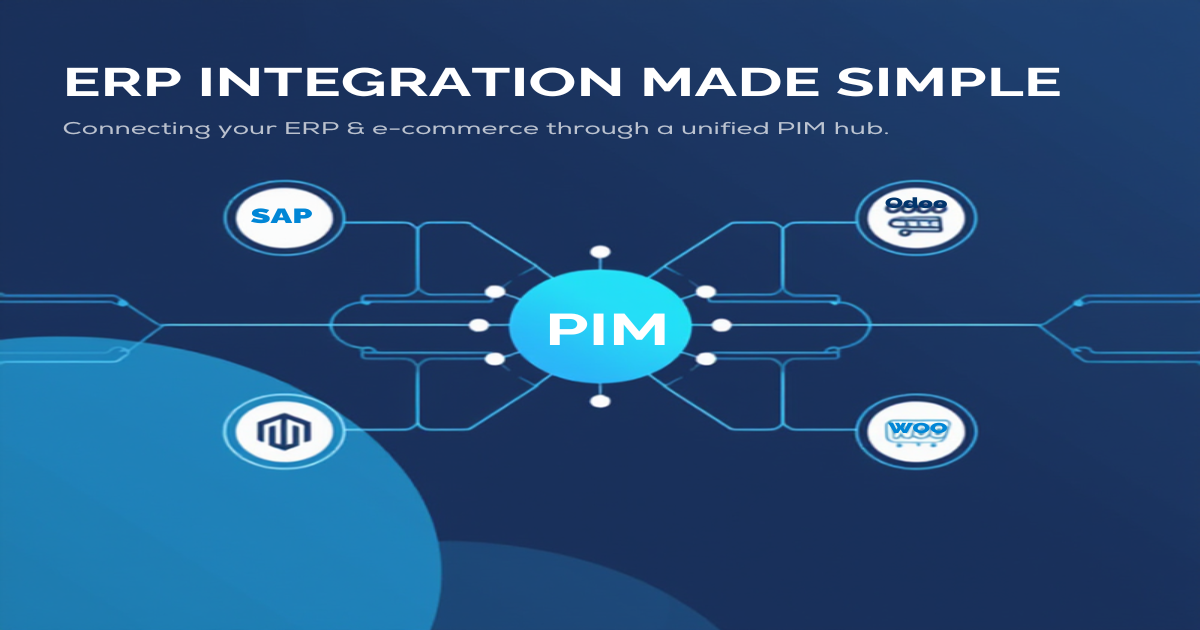
MicroPIM solves this as a middleware layer — a Product Information Management system that sits between your ERP and your storefronts and handles the translation in both directions.
![MicroPIM dashboard showing ERP integration options with connector cards for NetSuite, SAP, Dynamics 365, and Odoo]
On the input side, MicroPIM imports product data from any of the four ERPs covered in this guide. The import module accepts CSV and JSON files and includes an AI-powered field mapper that reads column headers and sample values from your ERP export and suggests the correct MicroPIM target field for each column. For standard ERP exports the mapping suggestions are accurate enough that most teams need only a few manual corrections. The mapping is saved as a named profile so every subsequent import uses the same configuration automatically.
On the output side, MicroPIM publishes to Shopify, WooCommerce, PrestaShop, Magento, and Gomag through native integrations. Each platform integration is configured independently, allowing different field values or content overrides for different channels without duplicating the product record. A product that sells on Shopify with one description and on a marketplace with a shorter variant can be managed from a single MicroPIM product record.
![ERP-to-ecommerce data flow diagram showing MicroPIM as the bridge layer]
In between import and export, MicroPIM provides the enrichment tools that neither ERPs nor storefronts offer natively. AI-powered description generation via Claude AI produces SEO-optimized product copy from the operational fields imported from your ERP. AI translation covers 21 languages with a human approval workflow. AI image enhancement and generation tools handle imagery. Bulk edit tools let catalog managers update attributes across hundreds or thousands of products simultaneously without touching individual records.
The architecture is deliberately ERP-agnostic. Whether your operational backbone is NetSuite, SAP Business One, Dynamics 365, or Odoo, the MicroPIM import-enrich-export workflow is the same. If you change ERPs in the future, only the import configuration changes — the enriched product content, the channel mappings, and the storefront integrations stay in place.
For teams new to MicroPIM, the getting started guide covers account setup, first import, and first storefront connection.
Choosing the Right ERP for Your Business
A structured decision process helps avoid the most common mistake in ERP selection: choosing a platform based on brand recognition rather than business fit.
Step 1 — Define your operational requirements. List the business processes your ERP must support. Inventory management is universal. Manufacturing BOM tracking matters if you produce or assemble goods. Multi-entity consolidation matters if you operate across legal entities. International tax compliance matters if you sell cross-border. Rank each requirement by whether it is essential, important, or nice-to-have.
Step 2 — Assess your technology environment. If your business is standardized on Microsoft 365, Dynamics 365 deserves serious weight because of native integration benefits that reduce total implementation cost. If your team is comfortable with open-source software and has developer capacity to maintain it, Odoo’s lower licensing cost may outweigh the additional maintenance overhead.
Step 3 — Model your total cost of ownership over three years. License cost is only one component. Add implementation services (typically one to three times annual license cost for mid-market ERPs), ongoing support contracts, customization costs for workflows that are not covered by the base product, and internal staff time for administration and training. Odoo looks dramatically less expensive than NetSuite on license cost alone but may close the gap when implementation and maintenance are included.
Step 4 — Plan your e-commerce integration architecture from day one. Whichever ERP you choose, plan the PIM layer before the ERP go-live rather than after. Retrofitting product data workflows onto a live ERP is more disruptive than designing them into the initial implementation. Decide early whether you will rely on the ERP’s native storefront connector — if it has one — or use MicroPIM as the bridge layer. The latter gives you more flexibility to change storefronts or add channels without rebuilding the ERP integration.
Step 5 — Run a proof of concept with real data. Before signing a contract, insist on a proof-of-concept phase that imports a representative sample of your actual product catalog and pushes it to a test environment on your storefront. This surfaces field mapping issues, data quality problems, and workflow gaps that are invisible during a sales demonstration.
The right ERP is the one that fits your current operational complexity, scales with your growth trajectory, and connects cleanly to the e-commerce channels your customers use. Use the comparison matrix and the decision framework above to narrow the field, then validate your shortlist with a structured proof of concept.
If you want to see how MicroPIM connects to your chosen ERP and publishes product data to your storefronts, book a demo and we will walk through the integration using a sample of your catalog. The setup is faster than most teams expect — and the ongoing maintenance overhead is lower than any point-to-point integration you could build yourself.
Also in this series: Connect NetSuite to e-commerce, SAP Business One integration, Dynamics 365 product management, Odoo product sync, and Getting started with MicroPIM.