· Andrei M. · Integrations · 16 min read
SAP Business One to PrestaShop: Automate Your Entire Supply Chain
Bridge SAP Business One to PrestaShop through MicroPIM. Automate product data, inventory sync, and pricing updates across your supply chain.
SAP Business One runs your back office at the cadence your finance and operations teams require: careful, transactional, and built for accuracy. PrestaShop runs your storefront at the cadence your customers require: immediate, responsive, and built for conversion. Getting these two systems to share the same product data, pricing, and stock figures — without manual exports, reformatting work, or a lag that causes overselling — is one of the most common challenges facing mid-market e-commerce teams. This guide explains exactly how MicroPIM solves that problem and walks through every stage of a production-grade sap business one ecommerce integration from authentication through error handling.
SAP Complexity Meets E-commerce Speed
SAP Business One is an enterprise resource planning system designed to be the authoritative record for your business: item master data, costing methods, price lists, warehouse quantities, purchase terms, and supplier lead times. It is engineered to be correct, not fast. A goods receipt posts through a journal entry. A price change follows an approval chain. An item description update is a deliberate action, not an inline edit.
PrestaShop operates on the opposite principle. A store manager expects to update a product and see it live within seconds. A customer expects the stock figure on a product page to reflect what is actually on the shelf right now. Promotional pricing needs to activate at midnight and expire at midnight without manual intervention.
These two operational cadences are not incompatible — but they cannot be reconciled by a spreadsheet, a weekly data export, or a direct API script written and maintained by one developer. The gap between them requires a dedicated ERP to ecommerce bridge that understands both systems, translates their data models without losing fidelity, and handles the edge cases that break naive integrations: field mismatches, format incompatibilities, conflict resolution on concurrent updates, and rollback when something goes wrong at the destination.
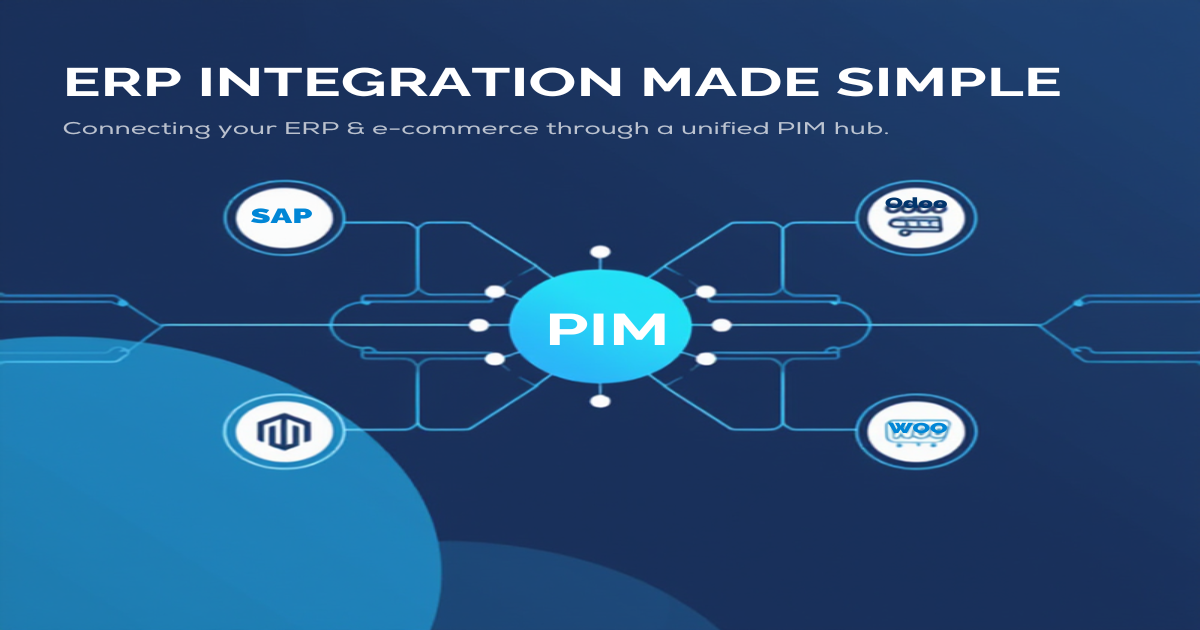
MicroPIM is that bridge. It sits between SAP B1 and PrestaShop, handling product master data extraction, inventory synchronization, pricing rule translation, and error recovery without requiring your team to manage the underlying complexity.
The Integration Challenge
Before examining the solution, it is worth understanding why direct SAP to PrestaShop integration attempts tend to fail or require continuous maintenance.
Legacy data structures. SAP Business One’s item master is built around operational needs. Fields like CostingMethod, IntrastatCode, PurchaseUoM, and Gen.Prod.PostingGroup have no direct equivalent in PrestaShop’s product model. A naive export drops them. A poorly mapped export puts them in the wrong place. Either outcome degrades data quality downstream.
Limited and versioned APIs. SAP B1 exposes its data through the Service Layer REST API, which is the current recommended approach for programmatic access. However, Service Layer versions differ between SAP B1 on-premise installations, and the API surface does not cover every field category uniformly. Extracting price list data, warehouse-level inventory, and item attributes requires separate endpoint calls, often with different authentication scopes.
Format mismatches. PrestaShop’s product model uses its own taxonomy for categories, attributes, combinations (variants), and stock management. SAP B1 uses item groups, item attributes, and matrix items. Translating between them correctly — preserving the relationship between a parent item and its variant rows, for example — requires explicit mapping logic, not a simple column rename.
Synchronization timing. A one-time export solves the data migration problem but not the ongoing sync problem. Prices change in SAP. Stock moves between warehouses. New items are added. Each of these events needs to propagate to PrestaShop on a schedule or in near real time, and each propagation needs to handle the case where the item already exists in PrestaShop with enriched content that should not be overwritten by the raw ERP value.
These are the problems MicroPIM is designed to absorb so your team does not have to.
MicroPIM as SAP Bridge to E-commerce
MicroPIM’s architecture for sap ecommerce automation is built around three distinct stages: extraction, enrichment, and publication.
Extraction is the process of pulling structured data from SAP B1 through its Service Layer API. MicroPIM connects to your SAP B1 instance using Service Layer credentials, queries the relevant endpoints for items, price lists, and warehouse stock, and stores the results in a normalized product record inside MicroPIM. Nothing is published to PrestaShop until the extraction is validated.
Enrichment is the optional but valuable step of augmenting the raw SAP data with content that SAP was never designed to hold: SEO-optimized product descriptions, translated copy for each language your PrestaShop store serves, high-quality images, and meta tags. MicroPIM’s AI-powered content tools handle this layer. Enrichment does not overwrite operational fields — price and stock always come from SAP — but it adds the presentation layer that SAP item masters consistently lack.
Publication is the process of pushing the enriched, validated product record to PrestaShop. MicroPIM’s PrestaShop connector handles category mapping, combination creation for product variants, stock assignment per warehouse, and tax class assignment. Subsequent sync cycles update only the fields that have changed since the last run, preserving any manual edits made directly in PrestaShop for fields outside the SAP data scope.
This three-stage model is what separates a reliable supply chain automation setup from a fragile script. Each stage has its own validation, its own error surface, and its own rollback mechanism. A failure in extraction does not corrupt PrestaShop. A failure in publication does not leave MicroPIM in an inconsistent state.
Authenticating SAP Business One
Connecting MicroPIM to SAP Business One uses the Service Layer REST API, which is SAP’s recommended integration interface for B1 version 9.3 and above. The authentication flow uses session-based tokens, with MicroPIM managing session renewal automatically.
To configure the connection in MicroPIM, navigate to Integrations and select SAP Business One. The connection form requires the following:
- Service Layer URL — The base URL for your SAP B1 Service Layer endpoint, typically in the format
https://your-server:50000/b1s/v1. For cloud-hosted SAP B1 (SAP Business One Cloud), the URL follows SAP’s cloud routing convention. - Company Database — The SAP B1 company database identifier (the
CompanyDBparameter in Service Layer authentication requests). - Username and Password — A SAP B1 user account with read access to the Item Master Data, Price Lists, and Inventory endpoints. It is recommended to create a dedicated integration user with the minimum required permissions rather than using an administrative account.
MicroPIM performs a test connection on save, verifying that it can authenticate, retrieve a session token, and execute a sample Item query. The connection health indicator on the integration dashboard updates in real time and will surface authentication errors, SSL certificate issues, or Service Layer version mismatches before they affect a live sync.
For SAP B1 on-premise installations behind a corporate firewall, MicroPIM supports connection through a secure tunnel configuration. Contact the MicroPIM support team for specific network requirements if your Service Layer endpoint is not publicly accessible.
Product Master Data Extraction
Once the SAP B1 connection is active, MicroPIM extracts product master data from the Items endpoint of the Service Layer. This is the core of the sap b1 product import process and the foundation of everything that follows.
The extraction pulls the full item record for each active item in SAP B1. MicroPIM maps SAP B1 fields to its own normalized product model using a default mapping that covers the most common fields, with the ability to customize mappings for User Defined Fields (UDFs) specific to your SAP installation.
| SAP B1 Field | MicroPIM Field | PrestaShop Target |
|---|---|---|
| ItemCode | sku | Reference |
| ItemName | name | Name |
| ForeignName | nameAlt | Name (secondary language) |
| ItemsGroupCode | category | Category |
| SalesWeight1 | weight | Weight |
| SalesUoM | salesUom | Unit |
| CountryOfOrigin | countryOfOrigin | Custom attribute |
| UserDefinedFields | integrationData (JSON) | Preserved for reference |
Items are extracted in paginated batches to handle large catalogs without Service Layer timeouts. MicroPIM stores the raw SAP response alongside the mapped product record, which enables re-mapping without re-querying SAP if your field mapping configuration changes after the initial import.
For product variants — SAP B1 items distinguished by suffix conventions or matrix item configurations — MicroPIM groups variant rows under a single parent product in its data model. This matches how PrestaShop handles combinations, ensuring that a configurable product in SAP publishes as a product with attribute combinations in PrestaShop rather than as a flat list of independent SKUs.
The product master data extraction is the foundation of the entire supply chain automation workflow. Accurate item master data in MicroPIM means accurate product pages in PrestaShop, accurate margin reports, and accurate inventory records.
Inventory and Stock Level Sync
Product data without accurate inventory is incomplete. A customer who adds a product to their cart and proceeds through checkout only to receive a cancellation email has experienced an oversell — one of the most damaging events in e-commerce operations.
MicroPIM handles sap inventory sync by querying the ItemWarehouseInfoCollection data in the Service Layer’s Items endpoint, which returns per-warehouse stock quantities for each item. This is the same granular inventory data that appears in SAP B1’s Item Master Data screen under the Inventory Data tab.
The sync process runs on a configurable schedule — every 15 minutes, every hour, or once per day, depending on how frequently your SAP B1 inventory changes. For businesses running intraday SAP batch jobs that post goods receipts and sales order picks in bulk, a 15-minute sync interval ensures that PrestaShop stock figures lag behind SAP by no more than one sync cycle.
On each sync run, MicroPIM:
- Queries SAP B1 for updated inventory quantities across all warehouses for all active items.
- Compares the retrieved quantities against the values stored in MicroPIM’s Inventory module.
- Applies any changes to MicroPIM’s warehouse-level stock records.
- Dispatches the updated quantities to PrestaShop through the channel connector queue.
The queue-based dispatch is important for reliability. Rather than making a synchronous API call to PrestaShop for each updated item, MicroPIM batches the updates and processes them through a queue with retry logic. A temporary PrestaShop API timeout does not cause inventory updates to be lost — they are retried on the next queue processing cycle.
For more detail on how MicroPIM’s multi-warehouse inventory model works across channels, see the multi-warehouse inventory sync guide.
Pricing Rules from SAP
Pricing is one of the most complex aspects of an SAP Business One ecommerce integration, and one of the most valuable to get right. SAP B1 supports up to 27 distinct price lists, each of which can carry a different base price for every item. On top of price lists, SAP B1 supports special prices — customer-specific or customer-group-specific pricing that overrides the standard price list for defined combinations of customer, item, and date range.
MicroPIM extracts pricing data from three SAP B1 endpoints:
Price Lists (PriceLists endpoint) — MicroPIM retrieves all active price lists and their associated item prices. Each price list maps to a pricing rule in MicroPIM, which can then be assigned to a specific PrestaShop customer group or used as the base price for a product.
Special Prices (SpecialPrices endpoint) — Customer-specific pricing configured in SAP B1 transfers to MicroPIM as conditional pricing rules. These can be applied in PrestaShop through customer group assignments or specific price rules, depending on how your PrestaShop store is configured.
Item Price Lists (Items endpoint, ItemPrices collection) — The per-item price entries for each active price list are extracted alongside the item master data, ensuring that price data and product data always stay in sync within a single extraction run.
When multiple price lists are active, MicroPIM’s pricing rule configuration lets you define which price list maps to which PrestaShop customer group. A common pattern is to map SAP B1’s wholesale price list to a PrestaShop B2B customer group, and the retail price list to the default customer group — enabling a single PrestaShop store to serve both B2B and B2C customers with pricing sourced directly from SAP.
Multi-Warehouse Synchronization
For businesses with more than one warehouse in SAP B1, MicroPIM’s warehouse mapping configuration controls how SAP warehouse stock is represented in PrestaShop.
SAP B1 warehouse codes — set in the WarehouseCode field of each item’s inventory record — map to named warehouse entities in MicroPIM. Once mapped, each warehouse’s stock quantity is tracked independently in MicroPIM’s Inventory module. The PrestaShop channel connector then aggregates or allocates that stock according to the rules you define.
Common multi-warehouse configurations include:
- Aggregate all warehouses. PrestaShop shows the total on-hand quantity across all SAP warehouses. Useful when all warehouses are capable of fulfilling online orders.
- Single fulfillment warehouse. PrestaShop shows stock from one designated warehouse. Other warehouses exist in MicroPIM for internal reporting but do not affect the storefront stock figure.
- Priority warehouse with fallback. PrestaShop shows stock from the primary warehouse. If primary warehouse stock reaches zero, the figure falls back to a secondary warehouse. This is useful for businesses with a primary fulfillment center and an overflow warehouse.
Warehouse mapping is configured in MicroPIM’s Integrations > PrestaShop > Warehouse Mapping screen. Changes to the mapping take effect on the next sync cycle without requiring any changes to the SAP B1 configuration.
For businesses managing stock across three or more locations, the multi-warehouse inventory sync guide provides a detailed walkthrough of reorder threshold configuration and goods receiving workflows that complement the SAP-sourced inventory sync.
Error Handling and Rollback
A production supply chain automation system needs to handle failures gracefully. SAP B1 Service Layer connections time out. PrestaShop APIs return validation errors when product data does not match expected formats. Network interruptions break sync runs mid-batch. Any of these failures, handled badly, can leave your product catalog in a partially updated state that is worse than no update at all.
MicroPIM addresses this through a multi-layer error handling architecture.
Extraction validation. Before any SAP data enters MicroPIM’s product records, it passes through a validation layer that checks for required field presence, data type consistency, and referential integrity. An item with a missing ItemCode, an invalid CountryOfOrigin code, or a price list entry referencing a non-existent currency will be flagged and held in a quarantine queue rather than written to MicroPIM with bad data. Quarantined items appear in the Sync Errors report with the specific validation failure noted.
Conflict resolution. When SAP sends an updated value for a field that has been manually edited in MicroPIM — an enriched product description, for example — MicroPIM’s conflict resolution strategy determines what happens. Three strategies are available:
- SAP Wins — SAP values always overwrite MicroPIM values. Suitable for operational fields like price and stock where SAP is the authoritative source.
- MicroPIM Wins — MicroPIM values are preserved regardless of what SAP sends. Suitable for enrichment fields like descriptions and images that SAP is not responsible for.
- Flag for Review — Conflicts are logged and held for manual review. Suitable for fields where the correct value depends on business context that the system cannot determine automatically.
Field-level conflict strategies can be configured independently, so price and inventory always use “SAP Wins” while descriptions and images use “MicroPIM Wins” in the same integration.
Publication rollback. If a PrestaShop API call fails partway through publishing a batch of product updates, MicroPIM does not leave PrestaShop in a partially updated state. The publication uses a transactional pattern: the full batch is prepared and validated before any API calls are made. If any call in the batch fails, the entire batch is retried from the beginning on the next cycle. This ensures that PrestaShop always reflects either the previous complete state or the new complete state — never a mixture of the two.
Audit log. Every extraction, mapping decision, conflict resolution, and publication event is recorded in MicroPIM’s audit log with a timestamp, affected SKUs, field names, old values, and new values. If a product update causes an unexpected change in PrestaShop, the audit log makes it possible to trace exactly what happened, when, and why — and to reverse the change if needed.
Getting Started
Connecting SAP Business One to PrestaShop through MicroPIM follows a repeatable setup path that most teams complete in a single working session.
- Configure the SAP B1 Service Layer connection. Enter your Service Layer URL, company database, and integration user credentials in MicroPIM’s SAP integration settings. Verify the test connection passes.
- Run the initial product master data extraction. Trigger a full extraction from the SAP integration screen. Review the field mapping, adjust any custom UDF assignments, and confirm the extraction in the Sync Errors report shows zero quarantined items.
- Configure the PrestaShop connection. Enter your PrestaShop API credentials and store URL. MicroPIM will verify the connection and detect your store’s installed languages, customer groups, and category tree.
- Map categories, attributes, and warehouses. Match SAP B1 item groups to PrestaShop categories. Map SAP attribute codes to PrestaShop product attributes. Assign SAP warehouse codes to MicroPIM warehouse entities and configure the channel stock rule for your PrestaShop store.
- Configure pricing rules. Assign SAP price lists to PrestaShop customer groups. Define which price list carries the base price for the default storefront.
- Run enrichment. Generate SEO descriptions, translations, and enhanced images for newly imported products before the first publication run.
- Publish and verify. Trigger the first publication to PrestaShop. Spot-check ten to twenty products across different item groups to confirm that names, prices, stock levels, and category assignments are correct.
- Activate scheduled sync. Set the inventory sync interval, the price sync schedule, and the item master data refresh frequency. From this point, the integration runs automatically.
A reliable sap business one ecommerce integration is not a one-time data migration — it is a continuous data pipeline that keeps your PrestaShop store aligned with SAP B1 as your business operates. MicroPIM handles the extraction, translation, enrichment, and publication layers so that your team can focus on running the business rather than maintaining the integration. Product master data extraction, inventory sync, pricing rules, multi-warehouse configuration, and error handling all operate within a single platform, with a full audit trail and configurable conflict resolution at every step.
Key Takeaways
- SAP Business One and PrestaShop operate at different cadences. Bridging them requires a dedicated ERP to ecommerce bridge with explicit field mapping, conflict resolution, and error handling — not a direct script or manual export.
- MicroPIM authenticates to SAP B1 through the Service Layer REST API and extracts items, price lists, and warehouse inventory through separate validated endpoint calls.
- sap inventory sync runs on a configurable schedule with queue-based dispatch to PrestaShop, ensuring that temporary API failures do not result in lost inventory updates.
- Pricing rules from SAP B1’s price lists map to PrestaShop customer groups, enabling both B2B and B2C pricing to be sourced directly from SAP.
- Multi-warehouse stock can be aggregated, allocated by priority, or restricted to a single fulfillment warehouse for PrestaShop, while full warehouse-level detail is preserved in MicroPIM.
- Conflict resolution is configurable at the field level: operational fields like price and stock default to SAP authority, while enrichment fields like descriptions default to MicroPIM authority.
Ready to automate your SAP B1 to PrestaShop supply chain? Start your free 14-day trial and connect your first SAP B1 catalog to PrestaShop today — no credit card required.
Further reading: Best ERP to E-commerce Integration Approaches | PrestaShop Product Import Guide | SAP Business One PIM Integration with MicroPIM | Multi-Warehouse Inventory Sync