· Andrei M. · Integrations · 13 min read
Shopify vs BigCommerce: Which Platform Wins with MicroPIM?
Comparing Shopify and BigCommerce for product data management. See how MicroPIM integrates with both and which platform fits your business model.
Choosing between Shopify and BigCommerce is one of the most consequential decisions an e-commerce team makes. Both platforms are mature, well-funded, and genuinely capable — but they were designed for different types of businesses, and those differences become painfully visible the moment you try to manage product data at scale.
This article compares Shopify vs BigCommerce product management from the perspective of catalog operations: how each platform handles bulk imports, API integration, multi-currency and multi-language requirements, and the structural differences that matter when you connect an external system like MicroPIM. If you have already chosen a platform and want to understand how MicroPIM fits in, the final sections walk through exactly that. If you are still deciding, the comparison matrix and decision framework below will save you a significant amount of research time.
Comparison Matrix: Shopify vs BigCommerce at a Glance
Before going deep on any single area, it helps to see both platforms side by side across the dimensions that matter most for product data management.
| Feature | Shopify | BigCommerce |
|---|---|---|
| Pricing model | Subscription + transaction fees | Subscription only, no transaction fees |
| Variant limit per product | 100 variants (3 options) | 600 variants (configurable) |
| Bulk import format | CSV (Shopify template) | CSV, Google Shopping feed |
| API type | REST + GraphQL | REST + GraphQL |
| API rate limits | Leaky bucket (40 req/s burst) | Tiered by plan (150-1000 req/min) |
| Native multi-currency | Markets (built-in) | Multi-storefront (built-in) |
| Native multi-language | Markets (limited) | Multi-storefront (separate stores) |
| B2B / wholesale features | Shopify Plus only | Native on all plans |
| Headless commerce support | Good (Hydrogen/Storefront API) | Strong (dedicated headless support) |
| App ecosystem size | Very large (8,000+ apps) | Smaller but growing |
| Open SaaS architecture | No | Yes |
| Best fit | SMB, D2C, fast-growing brands | B2B, wholesale, mid-market |
This table captures the structural differences, but the numbers alone do not tell the full story. The variant limit is the most operationally significant difference for product teams. Shopify’s 100-variant cap (three option types, 100 combinations maximum) is genuinely limiting for apparel, footwear, or any product with more than a few size and color combinations. BigCommerce’s 600-variant cap with configurable options handles most catalog structures without workarounds.
Pricing is more nuanced than it appears. Shopify charges transaction fees on all plans except Shopify Plus unless you use Shopify Payments. BigCommerce does not charge transaction fees on any plan. For high-volume merchants processing significant GMV, this difference can dwarf the subscription cost difference.
Product Import Capability Breakdown
Getting products into either platform is where operational teams spend a disproportionate amount of time — and where the differences between the two platforms become practical rather than theoretical.
Shopify Product Imports
Shopify’s native import system accepts CSV files that follow its own template format. The template is rigid. Column names are fixed, and deviating from the expected structure causes silent failures or partial imports where some fields populate and others do not. For teams migrating from another platform or importing from an ERP, this means a transformation step is always required before upload.
Shopify supports images via URL in the CSV, which means images need to be publicly accessible before import. There is no native support for importing product videos through CSV. Metafields — Shopify’s mechanism for custom product attributes — cannot be populated through the standard CSV import tool without third-party apps or API calls.
The GraphQL Admin API is considerably more capable than the CSV import path. Bulk operations via GraphQL allow you to import thousands of products in a single asynchronous job using a JSONL file format. This is the path MicroPIM uses for efficient Shopify product synchronization, and it bypasses the limitations of the CSV approach entirely.
BigCommerce Product Imports
BigCommerce’s native CSV import is more flexible than Shopify’s in terms of what it accepts. Column mapping is configurable rather than fixed, which means you can import files that do not conform to a specific template as long as you map the columns during the import setup. This is meaningfully better for teams importing from legacy systems or ERPs that export in their own format.
BigCommerce also supports Google Shopping feed format for bulk imports, which is useful for teams that are already producing feeds for Google Merchant Center. The ability to reuse a feed that already exists in your workflow eliminates a redundant transformation step.
Custom fields — BigCommerce’s equivalent of Shopify’s metafields — can be populated through CSV import natively. This is a practical advantage for any business that needs to push extended product attributes through a file-based workflow without API access.
The BigCommerce V3 Catalog API supports batch product creation and updates with detailed error reporting per product. Unlike some REST APIs that return a single error for a batch operation, BigCommerce returns per-item results, which makes it far easier to identify and correct specific records that failed validation.
API Integration Strength from the MicroPIM Perspective
MicroPIM connects to both Shopify and BigCommerce via their respective APIs, and the integration experience is meaningfully different for each.
Connecting MicroPIM to Shopify
Shopify’s API infrastructure is mature and well-documented. The REST Admin API covers products, variants, inventory, metafields, collections, and all the standard objects a PIM system needs to manage. The GraphQL Admin API adds bulk operations that make large catalog syncs practical — a catalog of 50,000 products that would take hours via REST can be processed in minutes via GraphQL bulk mutations.
MicroPIM’s Shopify integration uses the GraphQL bulk operations path for initial catalog pushes and large updates, and the REST API for targeted updates to individual products or variants. The integration maps MicroPIM’s product model to Shopify’s schema automatically, including variant structures, inventory levels per location, and metafield population for extended attributes that do not have native Shopify fields.
Setup requires installing the MicroPIM app from the Shopify App Store or generating a custom app with the required scopes: read_products, write_products, read_inventory, write_inventory. MicroPIM stores the access token and handles token refresh automatically. For most Shopify catalogs, the initial sync completes within the first session.
For a detailed walkthrough of the Shopify connection process, see the MicroPIM Shopify integration guide.
Connecting MicroPIM to BigCommerce
BigCommerce’s V3 Catalog API is the primary integration point for MicroPIM. The V3 API is more structured than Shopify’s REST API in some respects — product options, modifiers, and variants are separate endpoint resources, which means the integration handles complex variant structures without the flat-file workarounds that Shopify’s variant model sometimes requires.
BigCommerce requires API credentials generated from the store’s Advanced Settings panel. MicroPIM accepts the Client ID, Client Secret, and Store Hash to establish the connection. Unlike Shopify, BigCommerce does not use OAuth for server-to-server integrations — the credential model is simpler but requires store admin access to generate.
One practical advantage of the BigCommerce integration is the custom fields endpoint. MicroPIM can push extended product attributes — technical specifications, compliance data, ERP reference codes — to BigCommerce custom fields without requiring any theme development on the storefront side. The data is available in the BigCommerce admin and accessible via the Storefront API for display.
For a step-by-step guide to importing product catalogs into BigCommerce through MicroPIM, see the BigCommerce product import guide.
Export Templates: Platform-Specific Mapping
One of the most operationally valuable features in MicroPIM is the ability to configure export templates that are tailored to each connected platform. Rather than pushing the same product data structure to every channel, MicroPIM lets you define per-platform field mappings, value transformations, and content variations.
This matters in practice because Shopify and BigCommerce use different field names, different variant structures, and different conventions for things like product status, tax settings, and image ordering. A single MicroPIM product record can produce a Shopify-formatted export and a BigCommerce-formatted export simultaneously, each with the correct field names and data types for its target platform.
Multi-Currency and Multi-Language Support
The requirements here split cleanly between US-focused and EU-focused businesses, and the two platforms approach the problem differently.
Shopify Markets
Shopify’s Markets feature handles multi-currency and multi-language selling from a single store. You define markets (geographic regions), assign currencies and languages per market, and Shopify manages price rounding, currency conversion, and language switching. For D2C brands expanding internationally from a US or UK base, Markets is the most operationally simple path to multi-currency selling.
The limitation is language depth. Shopify’s native translation support through Markets covers product titles and descriptions, but not all content types. Third-party translation apps (Weglot, Langify, Transcy) fill the gap for content that falls outside the native translation scope. For businesses that need to maintain genuinely separate localized content — different product copy per market, not just translated copy — Shopify’s single-store model creates friction. For a full breakdown of how markets, currencies, domains, and duty display actually work, see how Shopify handles multiple markets.
BigCommerce Multi-Storefront
BigCommerce takes a different approach. Multi-storefront allows you to run multiple distinct storefronts from a single BigCommerce account, each with its own domain, currency, language, and product catalog subset. This is architecturally better for EU businesses that need to maintain genuinely separate stores for different markets — different terms and conditions, different product ranges, different pricing structures — while managing products from a central catalog.
The trade-off is operational complexity. Managing multiple storefronts requires more setup and more ongoing maintenance than Shopify’s single-store model. For businesses that genuinely need market separation, this complexity is justified. For businesses that just want to show prices in multiple currencies, it is overkill.
Where MicroPIM Fits
MicroPIM handles multi-language product content through its AI translation system, which supports 21 languages including all major EU languages. The translation layer operates at the product level in MicroPIM, meaning you can maintain localized product titles, descriptions, and SEO metadata in MicroPIM and push the correct language version to each connected channel.
For a Shopify Markets setup, MicroPIM pushes translated product content to the appropriate market. For a BigCommerce multi-storefront setup, MicroPIM treats each storefront as a separate channel and pushes the correct language variant to each. The product team works in MicroPIM; the platform-level language handling follows from there.
Best Fit: Shopify vs BigCommerce Decision Framework
The choice between Shopify and BigCommerce for product data management comes down to a small number of decisive factors.
Choose Shopify If
You are a D2C brand or fast-growing SMB. Shopify’s ecosystem, onboarding experience, and app marketplace are optimized for this segment. The time from “I have a product” to “I have a functioning store” is shorter on Shopify than on any comparable platform. The transaction fee model is an acceptable trade-off at lower GMV levels, and Shopify Payments eliminates it for businesses that can use it.
Your catalog has straightforward variant structures. If your products have at most three option types and fewer than 100 variants per product, Shopify’s variant model covers you completely. Most D2C brands selling apparel, accessories, or consumer goods operate comfortably within these limits.
You want the largest possible app ecosystem. Shopify’s 8,000+ app marketplace means that almost any integration or functionality requirement has a tested, maintained solution available. This matters for businesses that need to extend their store without custom development.
You are selling primarily in English-language markets. Shopify’s international selling features work best when you are adapting a primarily English-language store for additional markets, rather than building genuinely multilingual content from the ground up.
Choose BigCommerce If
You operate in B2B or wholesale. BigCommerce’s native B2B features — customer groups, tiered pricing, quote management, purchase orders — are available on standard plans. On Shopify, equivalent functionality requires Shopify Plus or a combination of third-party apps that add cost and complexity. If your business model involves negotiated pricing, account-level relationships, or order approval workflows, BigCommerce handles this without a premium tier.
Your catalog has complex variant structures. If you sell products with more than three option types or more than 100 variants per product — common in industrial supplies, apparel with extended size ranges, or configurable products — BigCommerce’s variant model supports your catalog without workarounds.
You are building for the EU market with genuine localization needs. BigCommerce’s multi-storefront architecture is better suited to businesses that need to operate genuinely separate stores per market, each with distinct content, pricing, and catalog subsets.
You process high GMV and want to avoid transaction fees. BigCommerce’s no-transaction-fee model at all plan levels is a structural cost advantage for high-volume merchants that cannot or do not want to use Shopify Payments.
How MicroPIM Optimizes for Both Platforms
The most important thing MicroPIM adds to both Shopify and BigCommerce is a unified product management layer that operates above the platform. Regardless of which platform you are on — or whether you are on both — your product team works in a single dashboard, maintains a single source of truth, and pushes to each channel through a managed integration.
Unified Dashboard for All Connected Platforms
MicroPIM’s unified dashboard shows the sync status of every connected platform in one place. If a product update pushes successfully to Shopify but fails on BigCommerce due to a validation error, the dashboard surfaces that specific failure with the error detail from the BigCommerce API response. Your team does not need to log into multiple platform admin panels to monitor catalog health.
For businesses running both Shopify and BigCommerce simultaneously — which is more common than it might seem for companies running separate D2C and B2B channels — this single-pane-of-glass view eliminates the operational overhead of managing two separate product catalogs.
Per-Platform Export Templates
MicroPIM’s export template system is the mechanism that allows one product record to produce correct output for multiple platforms simultaneously. A product’s core data — SKU, title, description, images, pricing, inventory — is stored once in MicroPIM. The export template for Shopify maps that data to Shopify’s field structure. The export template for BigCommerce maps it to BigCommerce’s field structure. The product team does not need to know the specifics of either platform’s data model.
This becomes particularly valuable when you are managing extended product attributes. Shopify stores these as metafields with namespace and key pairs. BigCommerce stores them as custom fields with name and value pairs. The underlying data — a technical specification, a compliance code, a supplier reference — is the same. MicroPIM handles the platform-specific formatting automatically.
Multi-Channel Product Distribution
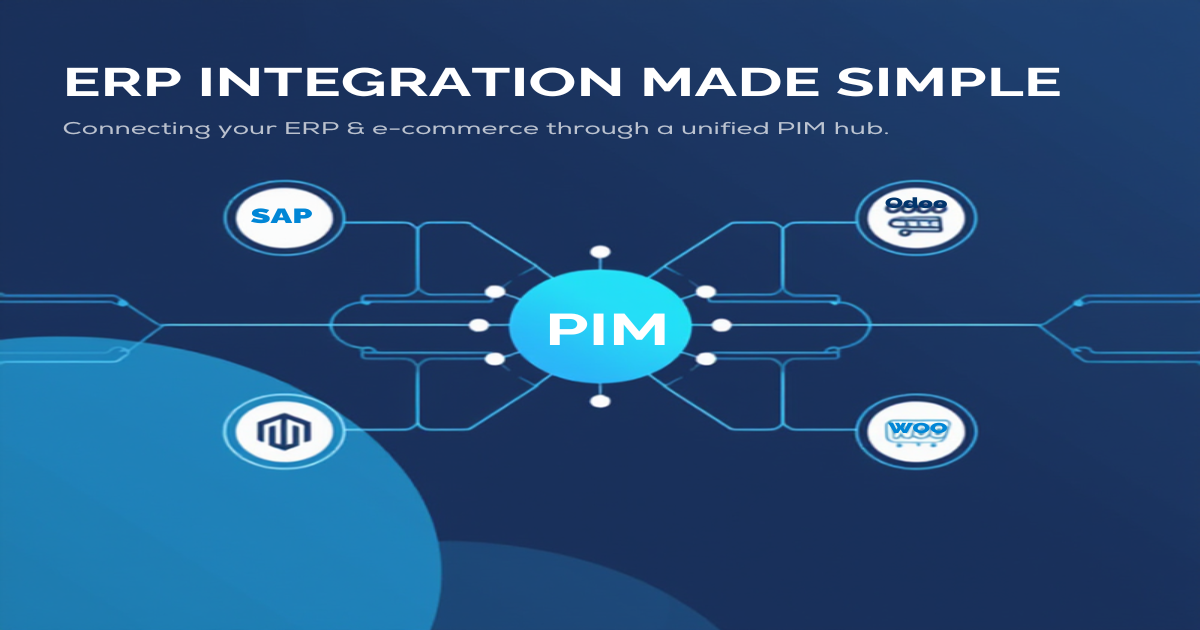
Beyond Shopify and BigCommerce, MicroPIM connects to Magento, WooCommerce, Gomag, and other channels through the same hub-and-spoke architecture. Adding a new sales channel does not require rebuilding your product data or creating a new source of truth. You connect the new channel in MicroPIM, configure the export template, and run the initial sync. Your existing product enrichment — descriptions, images, translations — is already in MicroPIM and available for the new channel.
For product teams managing catalog operations across multiple channels, this architecture replaces the alternative: maintaining separate product databases in multiple platform admin panels, keeping them in sync manually, and dealing with the inevitable inconsistencies that result.
To understand how MicroPIM fits into your existing workflow from day one, the getting started with MicroPIM guide walks through the initial setup, import process, and first channel connection.
Shopify wins for D2C brands, fast-growing SMBs, and businesses that prioritize ecosystem breadth and time to market. BigCommerce wins for B2B operations, high-variant catalogs, wholesale channels, and EU businesses that need genuine multi-storefront separation. The Shopify vs BigCommerce product management debate does not have a universal answer — it has the right answer for your specific business model.
What MicroPIM adds is the ability to make that choice on platform merit rather than on product data limitations. When your catalog is managed centrally in MicroPIM, switching platforms or running multiple platforms simultaneously becomes an integration configuration rather than a data migration project.
Ready to see how MicroPIM connects to your Shopify or BigCommerce store? Book a demo and we will walk through your catalog structure, show you the integration setup, and help you configure the export templates that fit your channel mix.